Add Date to PDF – Free Online Date Stamper Tool | PDFMagics
Add Date to PDF – Free Online Date Stamper Tool
Stamp your PDFs with today’s date, a custom date, or recurring timestamps – securely and for free with PDFMagics!
What is a Date Stamper for PDF?
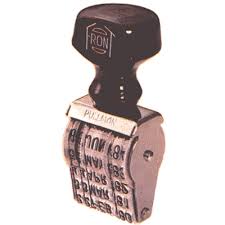
A Date Stamper for PDF is a tool that allows you to embed visible timestamps into your PDF documents. This can include the current date, a manually selected date, or even recurring dates like payment reminders. Whether you’re working with official documents, business invoices, academic reports, or personal files — stamping a date onto your PDF helps ensure proper recordkeeping, legal relevance, and organization.
Why Add Dates to PDFs?
Adding dates to PDF documents serves a wide range of practical purposes:
- Proof of Submission: Timestamp contracts, applications, or assignments with the submission date.
- Legal Significance: Dates are important in agreements, legal forms, and contracts.
- Recordkeeping: Maintain a timeline of revisions or versions with embedded dates.
- Audit and Compliance: Crucial for financial and business records needing time-based validation.
PDFMagics – Your Free Date Stamper Tool
At PDFMagics, we’ve developed a fast, secure, and easy-to-use online Date Stamper for PDF that works directly in your browser. No downloads, no signups — just instant results.
- ✅ Free to use
- ✅ Mobile-friendly and responsive
- ✅ Works offline (in-browser)
- ✅ No server upload – 100% private
- ✅ Supports custom fonts, sizes, colors, and placement
How to Use the PDFMagics Date Stamper Tool
- Open the Date Stamper for PDF tool on PDFMagics.
- Upload the PDF file you want to date stamp.
- Select the date format – Today’s date or Custom.
- Choose where to place the date (top left, bottom right, etc.).
- Adjust font size, color, and alignment if needed.
- Click on “Stamp Date” and preview the result.
- Download the updated PDF instantly.
Use Cases for Stamping Dates on PDFs
- Contracts: Confirm when a document was created or signed.
- Invoices: Add billing or due dates.
- Assignment Submissions: Show submission date for school/university.
- Tax Documents: Stamp filing or transaction dates.
- Medical Reports: Add consultation or test dates.
Key Features of Our PDF Date Stamper
- ✔ Drag and Drop PDF Upload
- ✔ Current or Custom Date Selection
- ✔ Format Options (MM/DD/YYYY, DD-MM-YYYY, etc.)
- ✔ Font & Color Customization
- ✔ Multiple Placement Options
- ✔ Live Preview Before Saving
Client Testimonials
“I love how fast and simple it is. Just uploaded my agreement and stamped the date in seconds.” — Ayesha K., Lawyer
“PDFMagics is my go-to for all PDF tools. The date stamper helped me organize dozens of forms for HR.” — Imran R., HR Manager
“Simple, secure, and no ads. Perfect!” — Daniel T., Freelancer
FAQs – Date Stamper Tool
Can I add today’s date automatically?
Yes, the tool can auto-fill today’s date based on your device’s system clock.
Can I customize the date format?
Absolutely. Choose from multiple formats like YYYY-MM-DD, MM/DD/YYYY, DD MMM YYYY, etc.
Is this tool really free?
Yes! All features are completely free with no signup or watermark.
Does my file get uploaded to a server?
No. The tool runs entirely in your browser. Your files never leave your device.
SEO Keywords Covered
- Add Date to PDF
- Date Stamper Online for PDF
- Insert Timestamp PDF Free
- PDF Date Tool No Watermark
- How to Add Date to PDF File
- Online PDF Tools 2025
Conclusion
If you need a fast, simple, and reliable way to add dates to your PDF files, look no further than PDFMagics Date Stamper. Whether it’s a legal contract, academic document, or any kind of PDF — you can add current or custom dates with just a few clicks. No installations, no worries, just pure productivity.
Give it a try now and upgrade your document workflow instantly.
© 2025 PDFMagics.com – All Rights Reserved