Convert PDF to Word – Free PDF to DOCX Online Tool | PDFMagics
Convert PDF to Word – Free PDF to DOCX Online Tool
Turn any PDF into an editable Word file in seconds. No watermark. No sign-up. 100% free with PDFMagics.
Why Convert PDF to Word?
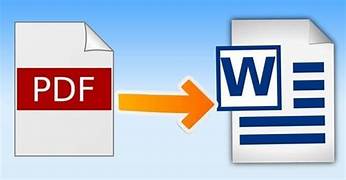
PDFs are great for sharing, but not for editing. If you need to make changes to a PDF document, the best solution is to convert it to an editable Microsoft Word file (.docx). PDFMagics makes this process seamless and free—no software downloads or sign-ups required.
Key Features of Our PDF to Word Converter
- ✔ Completely Free with No Hidden Fees
- ✔ Converts to DOCX Format (Microsoft Word)
- ✔ Retains Layout, Images, Tables, and Fonts
- ✔ Upload and Convert in Seconds
- ✔ Drag & Drop Support
- ✔ Secure – Files auto-deleted after processing
How to Convert PDF to Word Online
- Click the “Convert PDF to Word Now” button.
- Upload your PDF file (drag & drop supported).
- Wait for conversion (usually under 10 seconds).
- Download your Word (.docx) file instantly.
Who Should Use This Tool?
- 📚 Students needing to edit academic PDFs
- 💼 Professionals converting contracts or reports
- ✍️ Writers repurposing content
- 📄 Editors handling PDF-based manuscripts
- 🏢 Businesses managing documents and forms
Common Use Cases
With the PDF to Word tool from PDFMagics, you can:
- ✅ Edit content in resumes, agreements, or letters
- ✅ Fix typos or update information in old PDFs
- ✅ Translate PDF content into different languages
- ✅ Extract data from business documents
Formatting Accuracy
We ensure that your Word file closely matches the original PDF in layout, fonts, spacing, and embedded images or tables. Our AI-enhanced conversion engine is built for high fidelity so you spend less time reformatting.
Mobile & Desktop Friendly
Use PDFMagics PDF to Word converter from any device—smartphone, tablet, or computer. No need to install software or apps. Just open your browser and convert instantly.
Is PDF to Word Conversion Secure?
Yes, we take your privacy seriously. All uploaded files are encrypted, processed temporarily, and deleted automatically within a short period. No data is stored or shared with third parties.
Frequently Asked Questions
Can I convert scanned PDFs?
Yes! If your PDF is a scanned image, our converter uses OCR (Optical Character Recognition) to extract editable text into the Word document.
Will the Word file look exactly like my PDF?
In most cases, yes. Layout, tables, images, and formatting are preserved with high accuracy.
How many files can I convert?
You can convert as many PDFs as you want. Our tool is free with no daily limits.
Is this tool really free?
Absolutely! PDFMagics provides all tools for free with no watermarks or restrictions.
Do I need to sign up?
No registration required. Just upload your file and download your Word document. 📝 Try PDF to Word Converter Now
SEO Keywords Used
- PDF to Word
- Convert PDF to Word Online
- Free PDF to DOCX Tool
- Editable Word from PDF
- Best PDF to Word Converter
Final Thoughts
Editing a PDF shouldn’t be a hassle. With PDFMagics’ powerful and easy-to-use PDF to Word tool, you can quickly turn locked PDFs into fully editable Word documents. Whether you need to make small corrections or major content changes, our tool saves you time and effort. Try it now – it’s free, accurate, and secure!
© 2025 PDFMagics.com – All Rights Reserved