Convert Image to PDF Online – Free JPG/PNG to PDF Tool | PDFMagics
Convert Image to PDF Online – JPG/PNG to PDF Tool
Instantly turn your images into PDF documents with our free and easy-to-use Image to PDF converter.
What is the Image to PDF Tool?
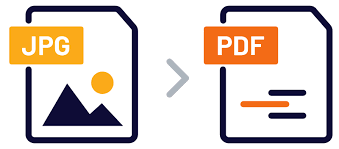
The Image to PDF tool from PDFMagics lets you convert JPG, PNG, and other image files into PDF documents. Whether you’re organizing photos, creating presentations, or sending official files, this tool offers a simple and fast solution—completely online and free of charge.
Why Convert Images to PDF?
- 📄 Combine multiple images into a single PDF file
- 📧 Send documents easily via email or upload
- 🖨️ Get a print-ready format for your images
- 🔒 Keep your layout intact across devices
- 📁 Organize and archive pictures professionally
Features of PDFMagics’ Image to PDF Converter
- ✅ Supports JPG, JPEG, PNG, BMP, and GIF formats
- 🧩 Combine multiple images into one PDF
- 📏 Adjust orientation, margins, and page size
- 🔐 100% browser-based for maximum privacy
- 📱 Mobile-friendly and responsive interface
- 🚀 Instant conversion without signup
How to Convert Image to PDF Online
- Click the “Convert Image to PDF Now” button above
- Upload your image files (JPG, PNG, etc.)
- Arrange the images in the order you want
- Click “Convert” to generate the PDF
- Download your newly created PDF instantly
Use Cases for Image to PDF Conversion
- 🖼️ Converting scanned receipts or bills to PDF
- 📸 Archiving photographs in a portable format
- 📄 Creating digital portfolios for job applications
- 📝 Submitting handwritten assignments online
- 🧾 Preparing documents for legal or official work
Why Choose PDFMagics?
- 🆓 Completely free to use
- 🛡️ No data stored — all processing happens in your browser
- 📂 Supports multiple files and drag-and-drop upload
- ⚙️ Simple UI with powerful features
- 💻 Compatible with all operating systems and devices
FAQs – Image to PDF
Which image formats are supported?
You can upload JPG, PNG, GIF, BMP, and JPEG files.
Is there any limit on the number of images?
You can upload and merge multiple images in one PDF. However, performance may vary based on device capability.
Is the tool free and secure?
Yes. PDFMagics is free and doesn’t store your files. Everything runs in your browser.
Can I use this on mobile?
Absolutely! The tool is fully responsive and works on smartphones and tablets.
Do I need to install any software?
No. It’s completely web-based — no installation required. 🚀 Start Converting Images to PDF
SEO Keywords for This Tool
- Image to PDF
- Convert JPG to PDF
- Convert PNG to PDF
- Online Image to PDF Converter
- Free JPG to PDF Tool
Final Thoughts
Whether you’re managing personal documents, submitting school assignments, or organizing business images, PDFMagics’ Image to PDF converter is the fastest and easiest way to get the job done. Try it today — no registration, no hassle, and always free.
© 2025 PDFMagics.com – All Rights Reserved