PDF to CSV Converter
Convert PDF to CSV – Extract Tables from PDFs | PDFMagics
Convert PDF to CSV – Online Table Extractor
Need to extract data tables from a PDF? Our free PDF to CSV converter makes it easy and fast!
What is PDF to CSV Conversion?
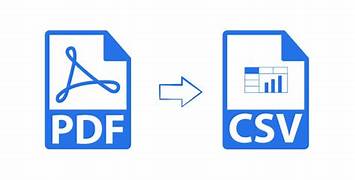
PDF files often contain tabular data like reports, statements, or inventory logs. However, extracting this data manually is time-consuming and error-prone. That’s where the PDF to CSV converter by PDFMagics comes in. With just a few clicks, it turns your PDF tables into .csv files for Excel, Google Sheets, or any spreadsheet app.
Benefits of Using Our PDF to CSV Tool
- ✔ Instantly extract rows and columns from PDF documents
- ✔ 100% free and online – no software needed
- ✔ Supports multiple tables per page
- ✔ Works with scanned PDFs (if OCR supported)
- ✔ Clean and accurate CSV output
- ✔ Safe and secure – your data stays private
How to Use the PDF to CSV Converter
- Click the “Convert PDF to CSV Now” button above.
- Upload your PDF document.
- The tool will automatically detect tables and convert them to CSV.
- Download your converted file and open in Excel, Google Sheets, or any text editor.
Top Use Cases
- 📈 Financial reports and transaction logs
- 📋 Inventory management data
- 📄 Survey results and forms
- 🗂 Academic research data
- 🧾 Invoices and purchase histories
Who Should Use This Tool?
- Data analysts – To work with extracted datasets
- Students and researchers – To process structured PDF content
- Business owners – For bookkeeping and inventory tracking
- Developers – For transforming PDF data into app-readable formats
Why Choose PDFMagics?
- 🌐 Browser-based – No installation required
- 🔐 Secure – Temporary file processing, no data leaks
- ⚡ Lightning fast – Convert in seconds
- 📱 Cross-platform – Use on desktop, mobile, or tablet
- 🆓 Free for everyone – No signup needed
🔁 Convert PDF to CSV Instantly
FAQs – PDF to CSV Conversion
Does this tool extract tables only?
Yes, the tool focuses on table extraction to provide clean CSV output. Non-tabular content is ignored.
Will the CSV file be compatible with Excel?
Absolutely. You can open the resulting file in Excel, Google Sheets, LibreOffice, or any spreadsheet software.
Can I convert scanned PDFs?
Scanned PDFs can be processed if OCR (Optical Character Recognition) is available in the tool.
Is it safe to upload confidential data?
Yes. Files are handled securely and are not stored after processing.
How accurate is the conversion?
The tool delivers highly accurate extraction of rows, columns, and headers from structured PDFs.
SEO Keywords Used
- PDF to CSV
- Convert PDF to CSV
- Extract PDF Tables
- PDF Table to CSV
- Online PDF to CSV tool
Final Thoughts
Extracting tabular data from PDFs is no longer a hassle. With PDFMagics’ PDF to CSV converter, you can save time, reduce manual work, and convert structured data into usable formats in seconds. Try it now and take control of your PDF data.
© 2025 PDFMagics.com – All Rights Reserved