🎨 PDF to WebP Converter
Convert PDF to WebP – Free Online PDF to WebP Converter | PDFMagics
Convert PDF to WebP – Free Online PDF to WebP Converter
Transform your PDF pages into lightweight, high-quality WebP images effortlessly using PDFMagics' free online tool.
What is a PDF to WebP Converter?
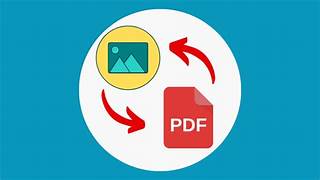
A PDF to WebP converter is a tool that extracts individual pages from a PDF and converts them into WebP image format — an ultra-efficient and modern image format developed by Google. WebP images are smaller in size yet retain high quality, making them ideal for websites and digital sharing.
Why Convert PDF to WebP?
- ⚡ Fast image loading on websites
- 💾 Save bandwidth and storage space
- 🖼️ High image quality even at low file sizes
- 📤 Easier to embed on web pages, blogs, and presentations
- 🔒 No installation or signup required
How to Convert PDF to WebP Using PDFMagics
- Click the green button above to open the tool
- Upload your PDF file (drag and drop supported)
- Wait a few seconds while the pages convert
- Download your WebP images as a ZIP folder
Key Features of Our PDF to WebP Tool
- ✅ Supports multi-page PDF conversion
- ✅ Blazing fast conversion
- ✅ 100% free to use – no hidden fees
- ✅ Converts in your browser – no upload required (client-side)
- ✅ Compatible with mobile and desktop devices
Who Can Use This Tool?
This tool is perfect for:
- 🌐 Web developers optimizing images for performance
- 📚 Teachers and students turning documents into shareable graphics
- 🧑🎨 Designers exporting vector PDFs as scalable images
- 📊 Business users converting reports to visuals
- 🧑💻 Bloggers & content creators enhancing image quality
What is WebP Format?
WebP is a modern image format developed by Google that offers superior lossless and lossy compression for images on the web. Compared to PNG and JPEG, WebP files are significantly smaller, which leads to faster page loads and reduced bandwidth usage.
Benefits of Using PDFMagics
- 🔐 Secure & private – files are not stored on servers
- 🌈 Colorful, simple UI that’s easy to use
- 📁 ZIP download of all WebP images
- 💡 No watermarks or limitations
- 🧠 Smart file handling for large PDFs
Frequently Asked Questions
Is this PDF to WebP converter free?
Yes! It’s completely free with no registration required.
What devices are supported?
Our tool works on all devices – PC, Mac, Android, iOS, and tablets.
Will the converted images lose quality?
No. WebP ensures great image quality while reducing size. You’ll get sharp, vibrant images.
Can I convert multi-page PDFs?
Yes! Each page of your PDF will be converted into a separate WebP image.
SEO Keywords Covered
- Convert PDF to WebP
- Free PDF to WebP converter
- Online PDF to WebP tool
- Export PDF pages as WebP
- PDF to high-quality WebP images
🌟 Start Converting PDF to WebP Now
Final Thoughts
If you're looking to extract images from PDFs or want to create fast-loading visuals for the web, PDFMagics’ PDF to WebP tool is your best bet. Experience quality, speed, and simplicity—all in one place. Give it a try now!
© 2025 PDFMagics.com – All Rights Reserved